CentOS Linux VPS桌面環境一鍵安裝包
VPS偵探上也曾發表過Linux VPS上安裝KDE, Gnome和VNC有不少vpser們也實驗過。今天發布一個VPSYou制作的CentOS Linux VPS桌面環境一鍵安裝包。還是原來那句話,VPS上裝桌面環境僅供測試或耍酷,生產環境還是老老實實SSH吧。
建議客戶是在一個干凈的centos系統里安裝,另建議內存在768以上的客戶安裝及建議安裝在32位的centos系統上!
本安裝包本站已在centos5.5 32bit上安裝成功,軟裝不成功可能與你之前安裝的有軟件上沖突之類的,請重裝系統重試!
安裝過程:
wget http://www.vpsyou.com/sh/xwindow.sh;sh ./xwindow.sh;
將上面1行復制,粘貼到您的linux ssh控制臺里,回車,全自動安裝,等待5-30分鐘即可完成!
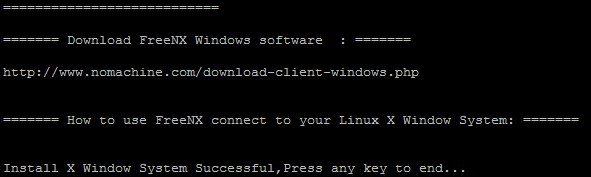
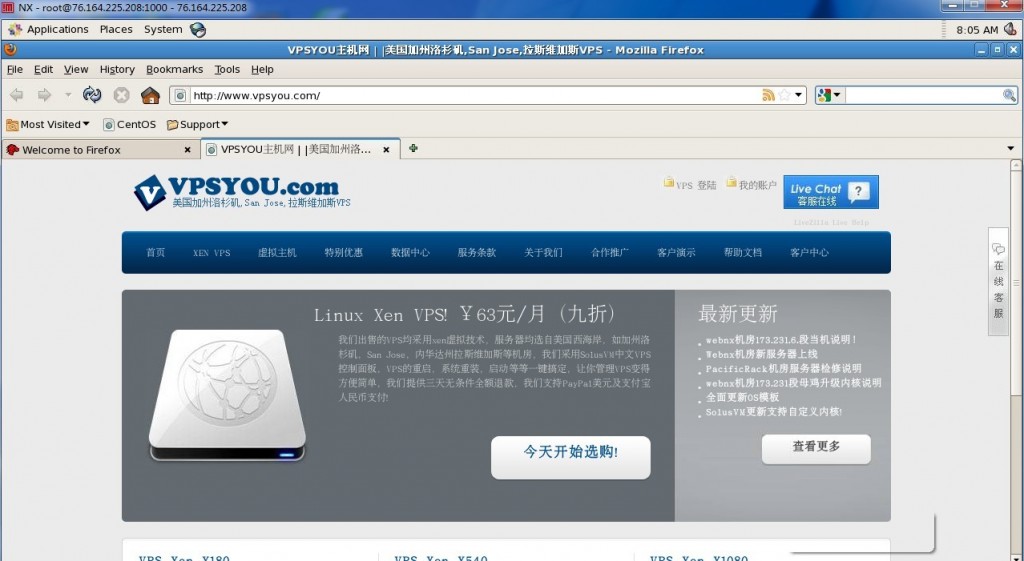
出現如下圖時,按回車就行,表明你已經安裝成功

本文轉載自:VPSYOU
>>轉載請注明出處:VPS偵探 本文鏈接地址:http://www.0794baidu.com/manage/centos-linux-vps-desktop-install-inone.html








Info: Display running with pid '0' and handler '0x57'.
NXPROXY - Version 3.5.0
Copyright (C) 2001, 2011 NoMachine.
See http://www.nomachine.com/ for more information.
Info: Proxy running in client mode with pid '3196'.
Session: Starting session at 'Tue Jun 4 20:52:38 2013'.
Error: Can't determine the location of the X display socket.
Error: Error 2 'No such file or directory' checking 'p?/.X11-unix'.
Session: Session terminated at 'Tue Jun 4 20:52:38 2013'.
@collin, 卸載基本上是不行,依賴太多,不如直接重裝。
偵探 麻煩問一下 該腳本如何卸載呢
? ? 暈了。/backup/www.vpsyou.com/ 下面什么也沒有,請問怎么辦?還有其他的辦法生成這個文件嗎?
Info: Display running with pid '0' and handler '0x60'.
NXPROXY - Version 3.4.0
Copyright (C) 2001, 2010 NoMachine.
See http://www.nomachine.com/ for more information.
Info: Proxy running in client mode with pid '2788'.
Session: Starting session at 'Fri Dec 17 21:53:52 2010'.
Error: Can't determine the location of the X display socket.
Error: Error 2 'No such file or directory' checking 'p?/.X11-unix'.
Session: Session terminated at 'Fri Dec 17 21:53:52 2010'.
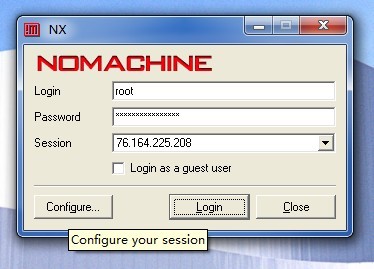
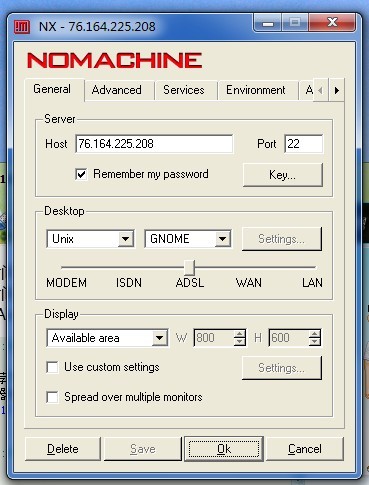
NX Client for Windows連接驗證都正常但是最后一步Session nx failed,查看Detail類似以上問題的話,原因是國外人寫的軟件,不能正確識別寬字符編碼的hostname,請更改你安裝NX Client for Windows的計算機的“計算機名”為英文,重啟一下再運行NX Client就好了。
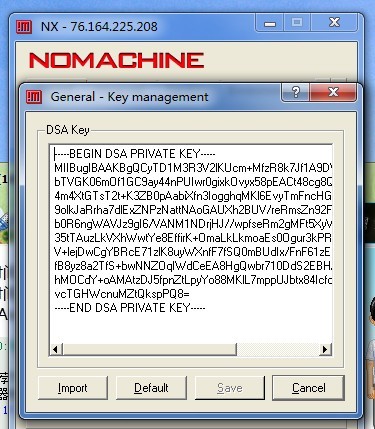
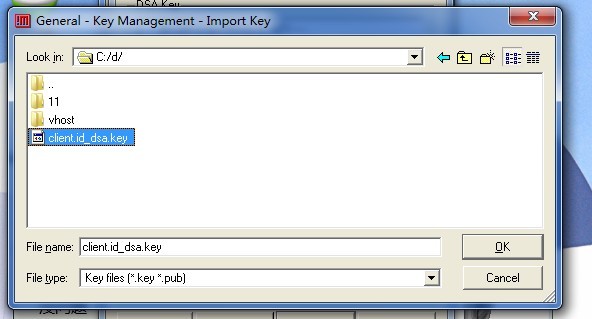
PS:NX Client for Windows要導入的client.id_dsa.key在vps的/backup/www.vpsyou.com/目錄下,請自己下載到本地
@xfy, firefox的設置和在Windows上是一樣的。
“CentOS Linux VPS桌面環境一鍵安裝包”
求助:如何設置firefox用socks 5 上網啊?
哈哈。。 ?? ?? ?? ?? 自己裝個玩玩
加油啊!
祝賀貴站越辦越好
好文章啊。。不得不來圍觀下啊